Create a B2B 0% Reverse Tax Rate
Steps
- In your Firmhouse project, go to Taxes & Invoices in the sidebar
- Click Create new tax rate
- Under Rate, enter the tax percentage and set the tax type to Exclusive
- Then select from the B2B origin country dropdown the country you are based in and/or want to treat as origin. The dropdown will only show countries you’ve enabled for your project under Settings > Subscription model in your Firmhouse project.
- Click Save
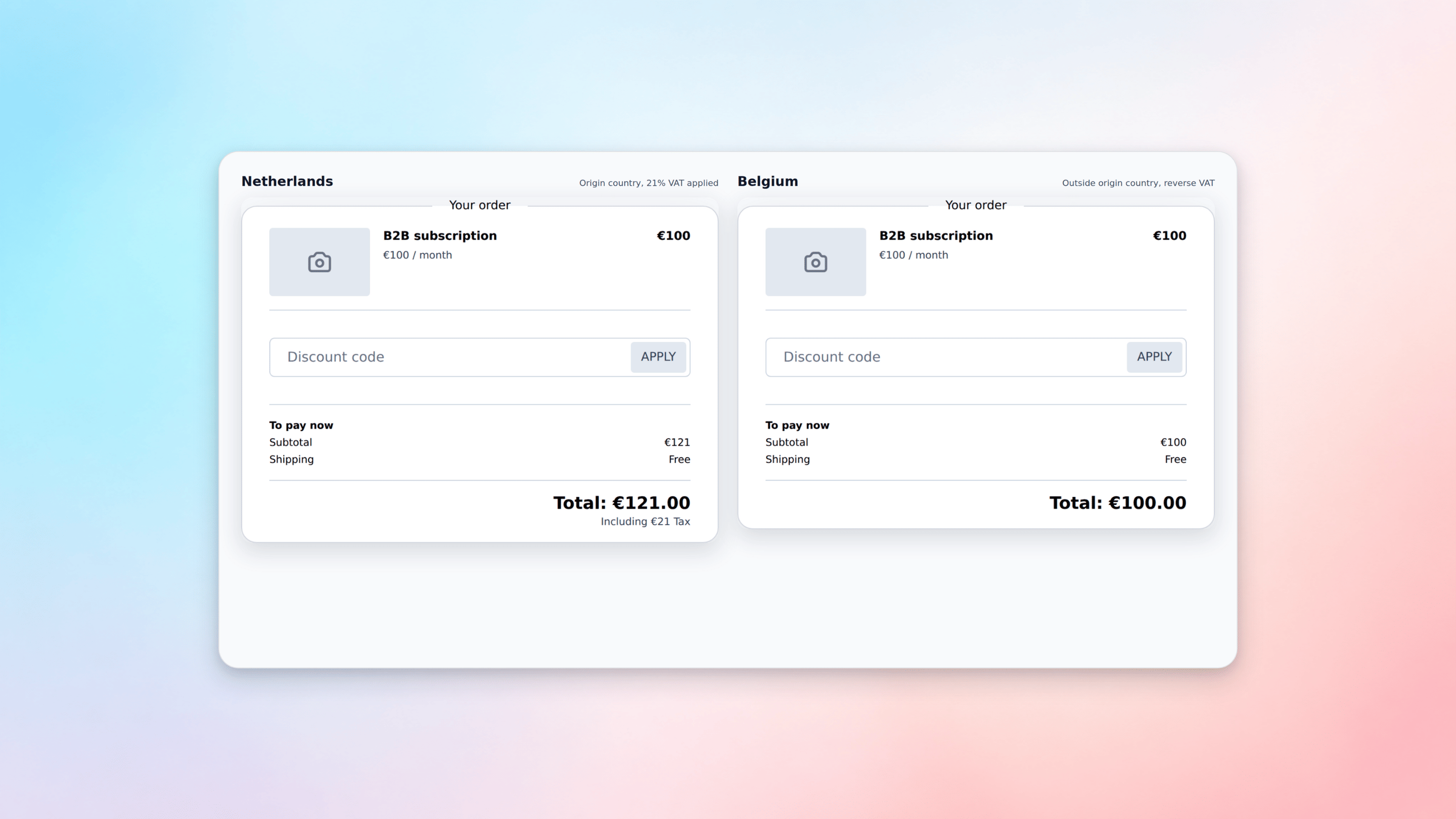
Sample Checkout with B2B 0% Reverse Tax in Action
The following example demonstrates how B2B reverse VAT works in practice:- When the customer’s country is set to the Netherlands (the country set as B2B origin country in the Tax Rate), taxes are applied normally
- When a customer signs up from Belgium (outside the origin country), no taxes are applied and the reverse charge mechanism takes effect