

Enable the feature
Product swap is available for all order-based projects. To enable it for your customers:Steps
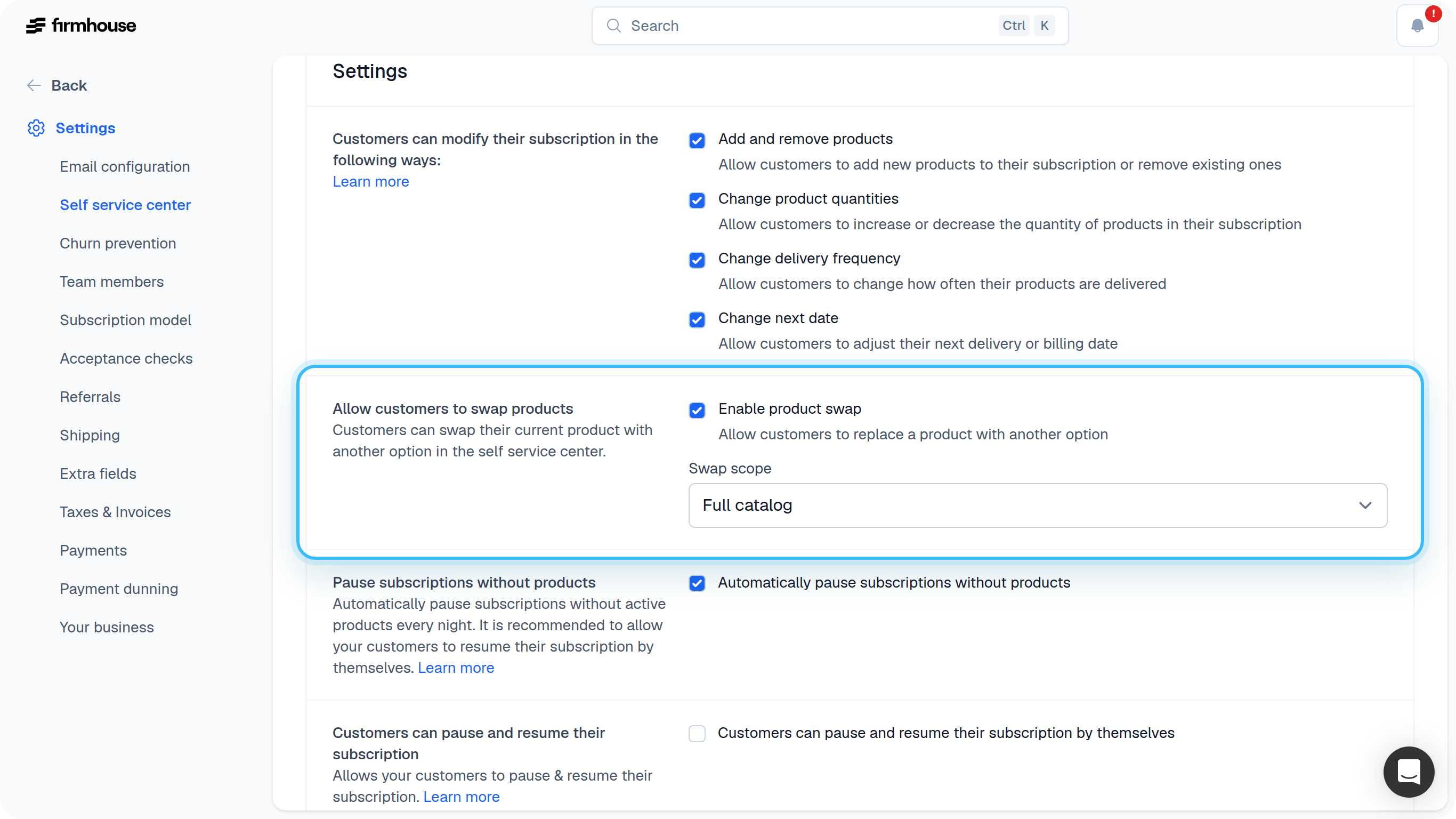
- Go to Settings > Self Service Center in the sidebar
- Scroll down to Settings
- Check the box for “Allow customers to swap products”
- Choose the swap scope:
- Same product group: Customers can only swap between products in the same product group (e.g., different flavors or sizes of the same product)
- Full catalog: Customers can swap to any available product in your catalog
- Click Update project
How product swap works
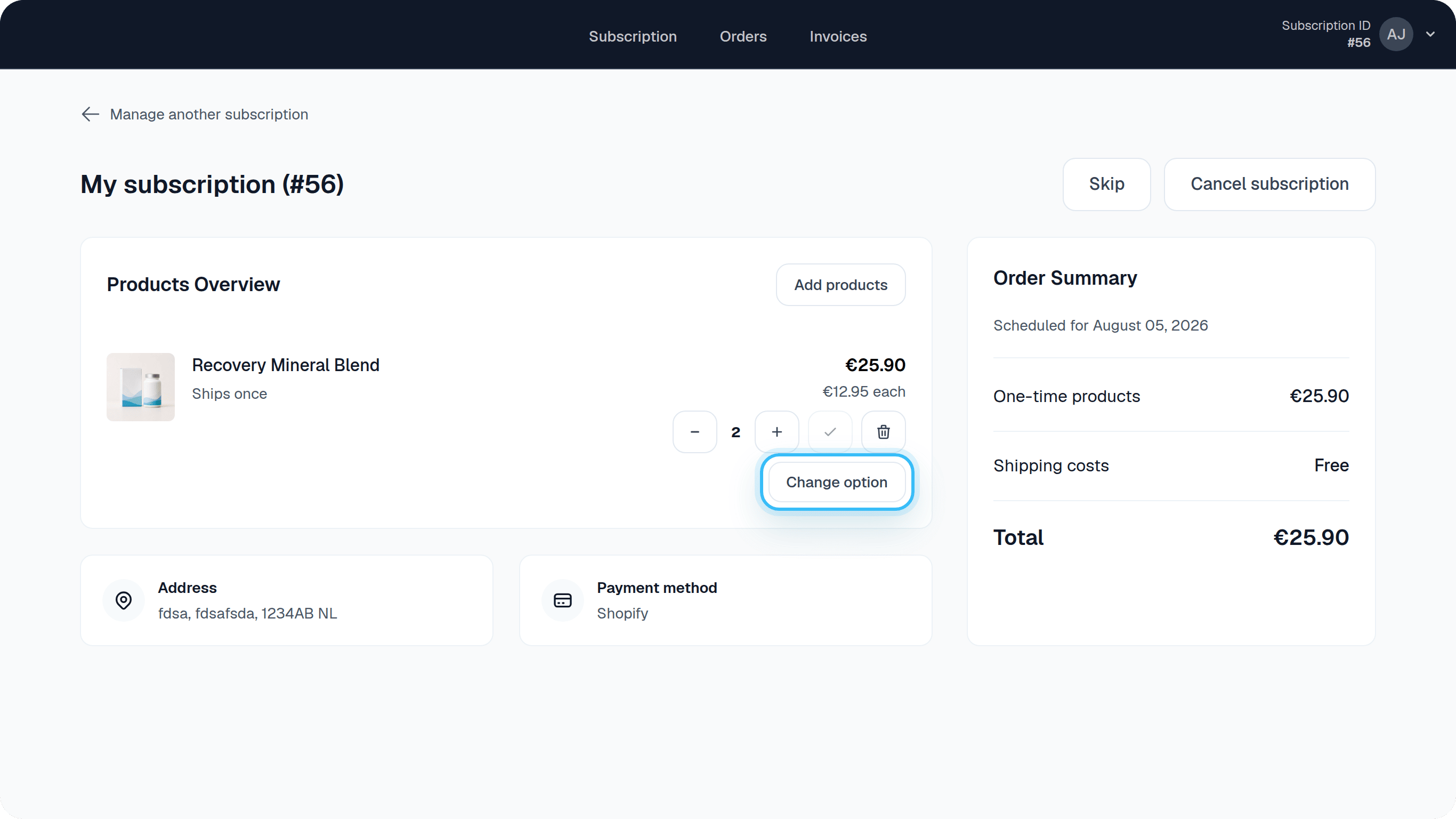
When a customer swaps a product:- They click the swap option next to the product they want to change
- They see available products they can swap to (filtered by your swap scope setting)
- They select the replacement product
- The price automatically updates to the new product’s price
- The change applies to their next scheduled order