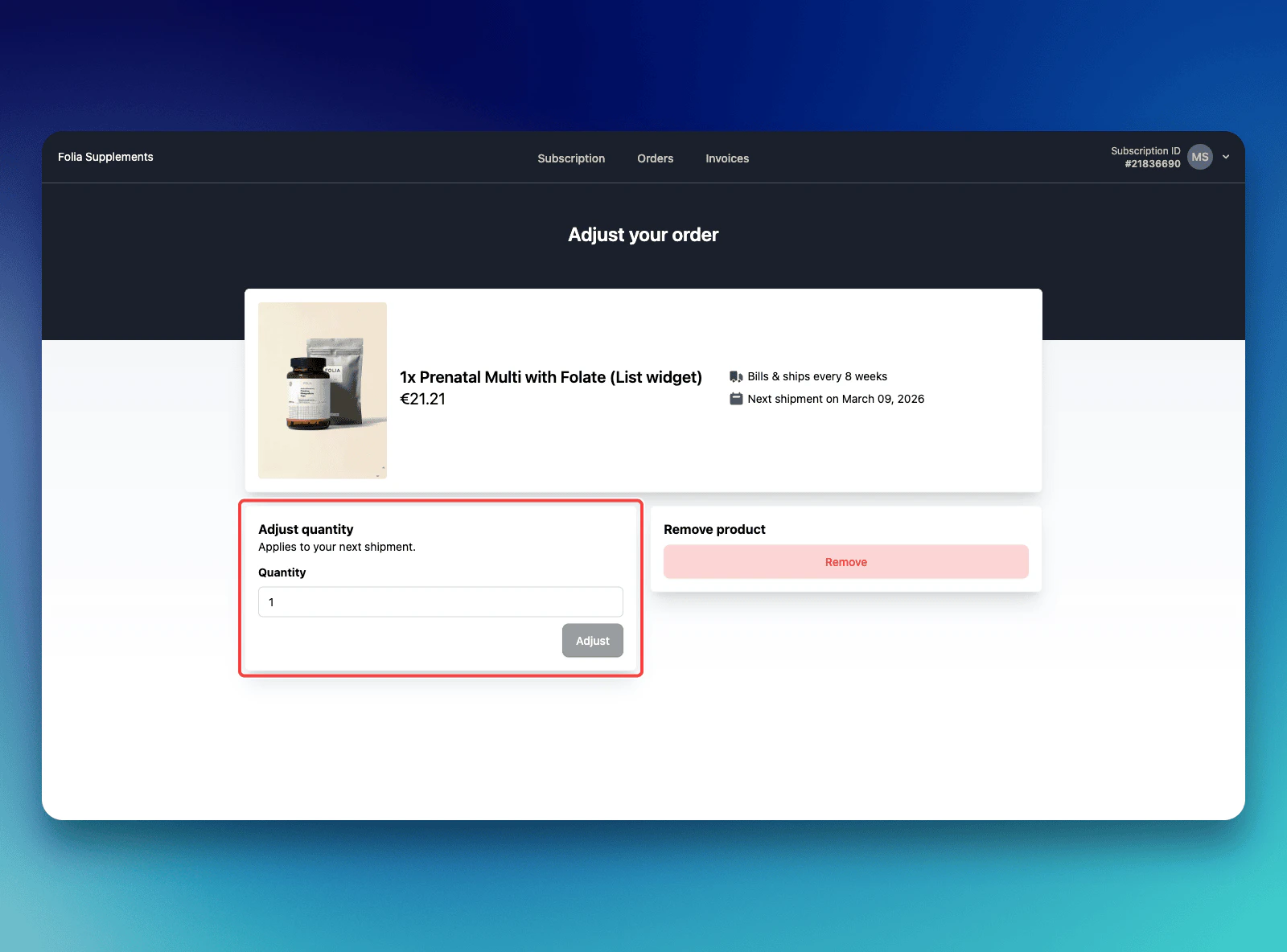
Learn how customers can change the quantity of products for their upcoming order. The Firmhouse Self Service Center allows your customers to change the quantity of their subscribed products. When they change the quantity, the change will immediately be reflected on the next order.Documentation Index
Fetch the complete documentation index at: https://docs.firmhouse.com/llms.txt
Use this file to discover all available pages before exploring further.
Steps
- The customer logs into their Self Service Center with the one time login email.
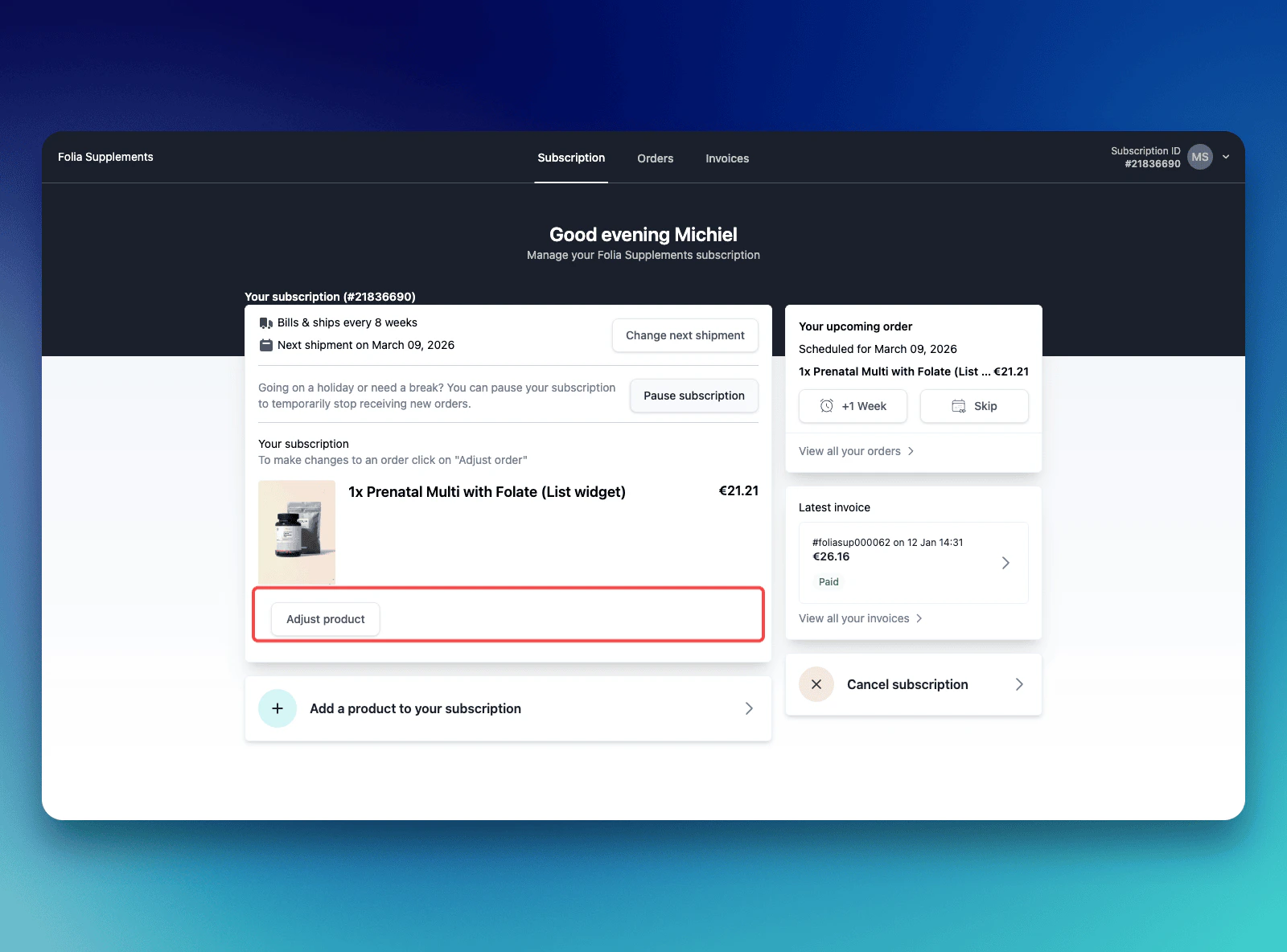
- Next to the product they want to change, they can click on Adjust order.
- Then in the widget called Adjust quantity they can enter a new quantity that applies for their next order.