

Review reminder delivery
Open an invoice in the Firmhouse Portal to review its reminder history. Each reminder shows its sequence number, scheduled date, and delivery state.- Sent means the reminder email has confirmed delivery evidence.
- Skipped means Firmhouse intentionally skipped the email.
- Queued or Scheduled means delivery is still pending.
- Unconfirmed identifies older reminder records without email delivery evidence.
- Not sent means no delivery was recorded.
Step 1: Enable the email
Steps
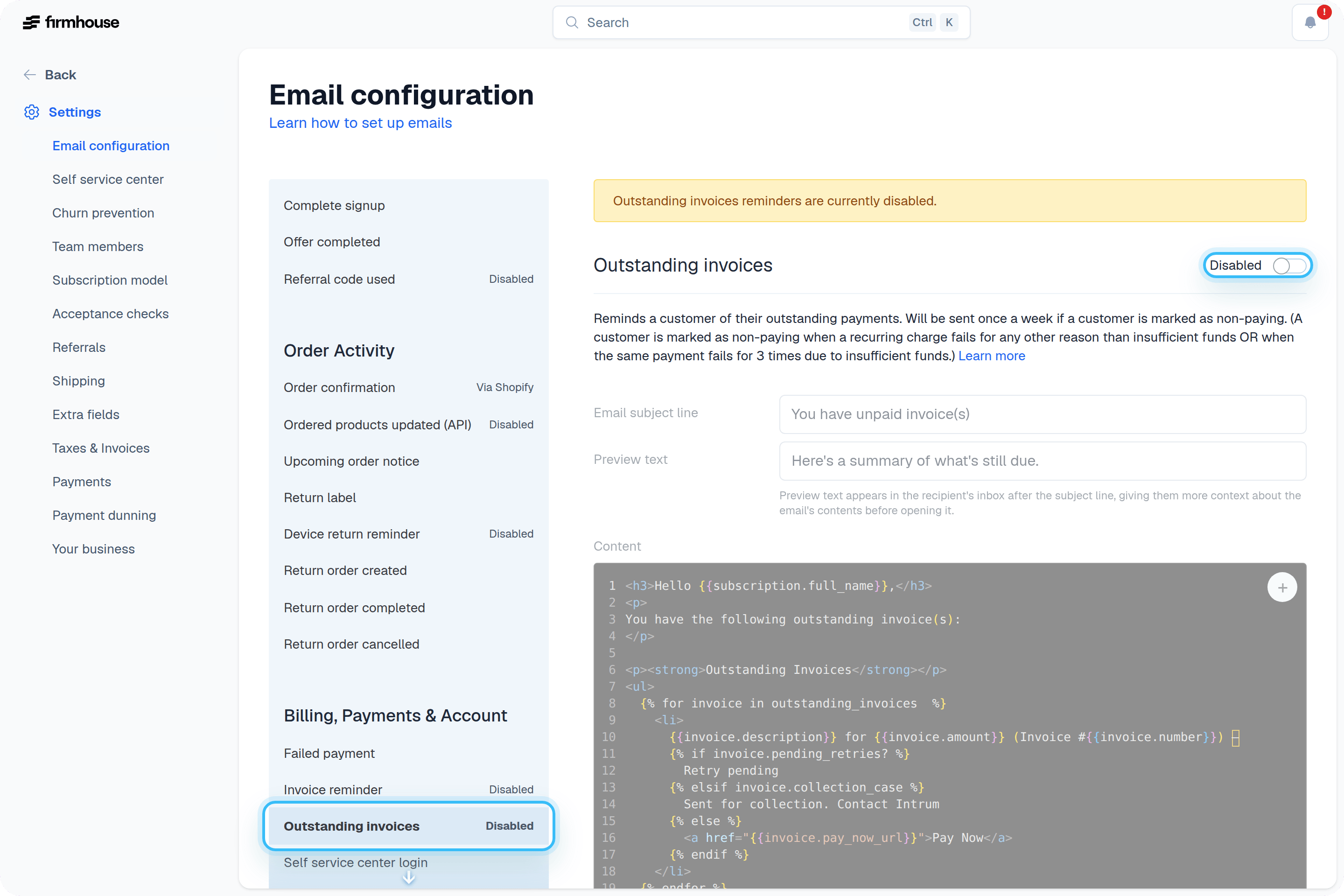
- Navigate to Settings > Email configuration in the sidebar
- Find the Outstanding invoices email under the Payments section
- Toggle the email to Enabled
- Click Save
Step 2: Setting up the email
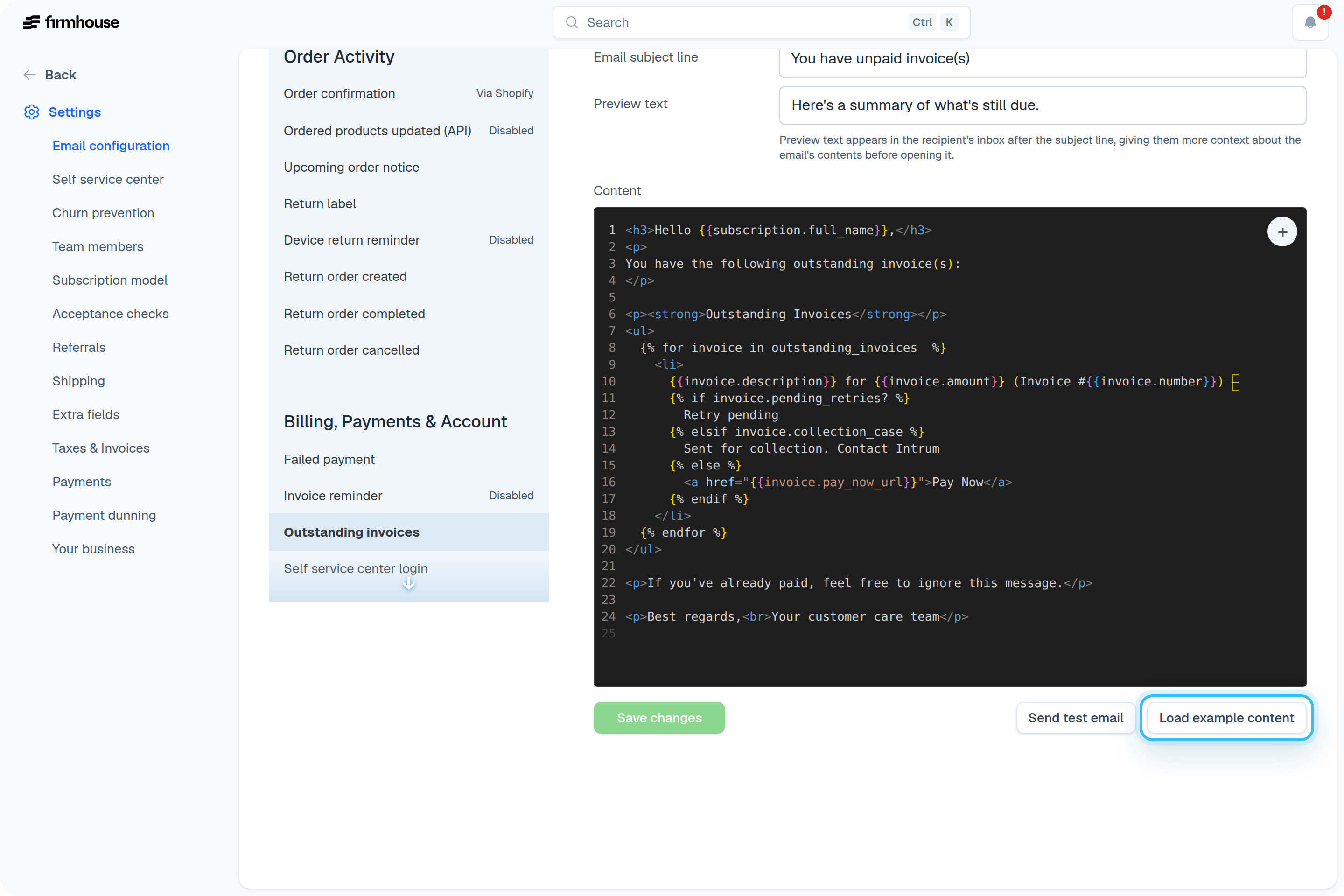
It’s up to you what you want to include in the email. We recommend using the standard template by clicking the Load example content button.Steps
- Click Load example content to load the standard HTML template
- Customize the email subject line and content as needed
- Use the Send Test Email button to preview how it looks
- Click Save to save your changes
Customising your email
You can add and change as much as you want in this email. In order for the invoices and their payment links to show up properly, we advise you to not change anything in the<table> element. You can rename the column labels, but the logic shouldn’t be touched.
For example, if you need to change the “Amount” label, you can update it like this:
Advanced: Build it yourself
To retrieve outstanding invoices in your email template, you need to loop throughoutstanding_invoices. Here’s a simple example that returns the invoice number of all outstanding invoices:
Supported attributes
The following attributes are available for outstanding invoices:number- The invoice numberamount- The invoice amountstatus- The current status as English display textstatus_code- The stable, locale-independent status key, suitable for conditions and custom translationsstatus_translated- The display status translated using the subscription’s localepending_retries?- Whether retries are pendingpay_now_url- The URL for the customer to paycreated_at- When the invoice was created