DNS proxying
Start with the checkout domain set to DNS only in Cloudflare. This lets the CNAME point directly to the Firmhouse-hosted application without Cloudflare proxying the traffic. If you want to turn on Cloudflare proxying for the checkout domain, coordinate this with Firmhouse support first. Firmhouse needs to verify the custom domain mapping and certificate setup on the hosting side before proxied traffic is enabled. Turning on the proxy before that is confirmed can cause SSL or routing issues.Disabling Rocket Loader
Steps
- Go to your Cloudflare dashboard
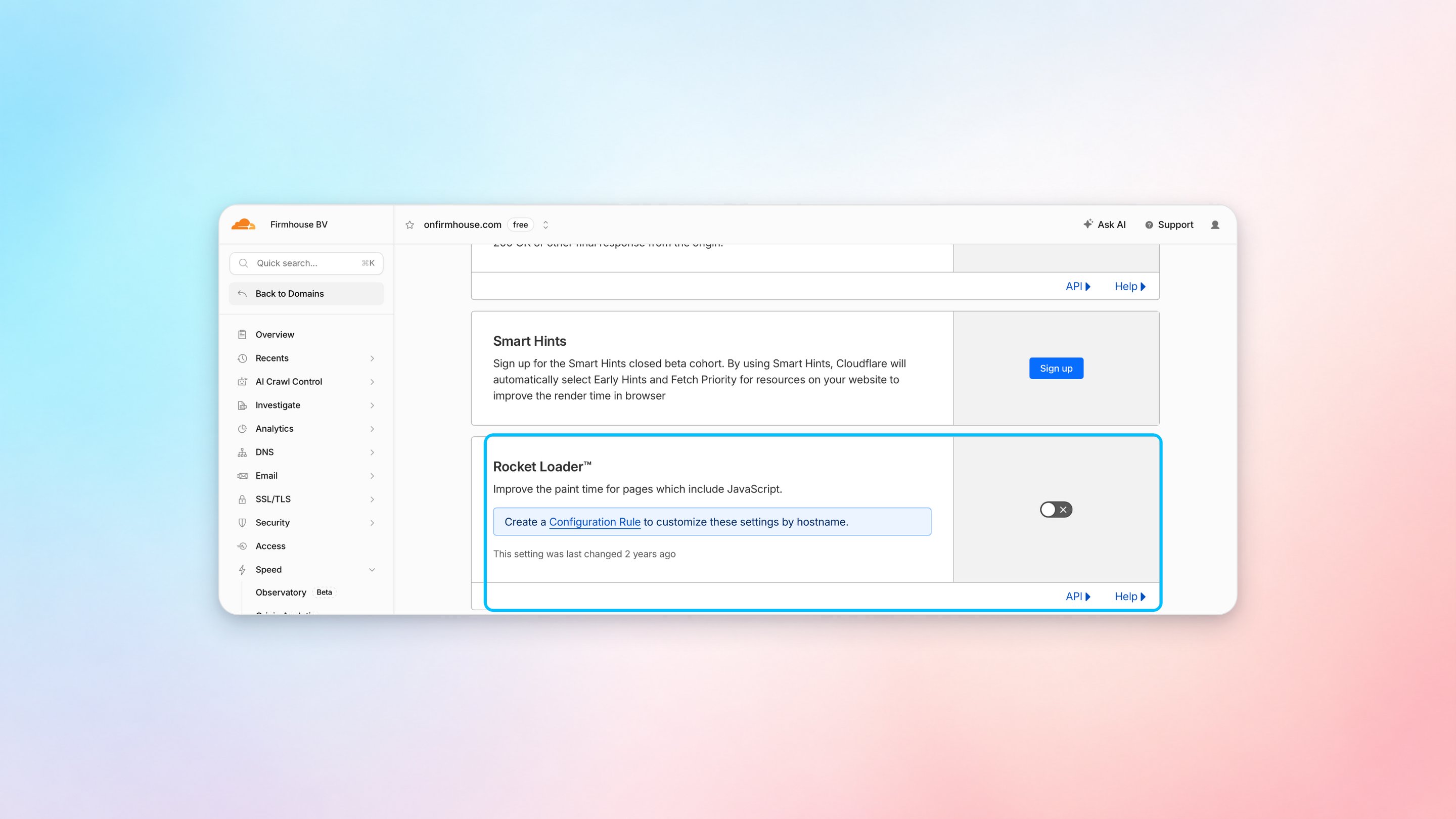
- Select your domain and navigate to Speed > Settings
- Under Content Optimization, find Rocket Loader and switch it off
Search engine indexing
Firmhouse serves arobots.txt file on connected custom checkout and Customer Portal domains. You can customize this file when you want search engines to crawl specific pages, such as a customer login page that should appear in search results.
Go to your custom domain settings in Firmhouse and update the robots.txt content for that domain. For example, if you want crawlers to access the index page on the connected domain, make sure your rules do not block the whole site with Disallow: /.
Creating a Configuration Rule (Alternative)
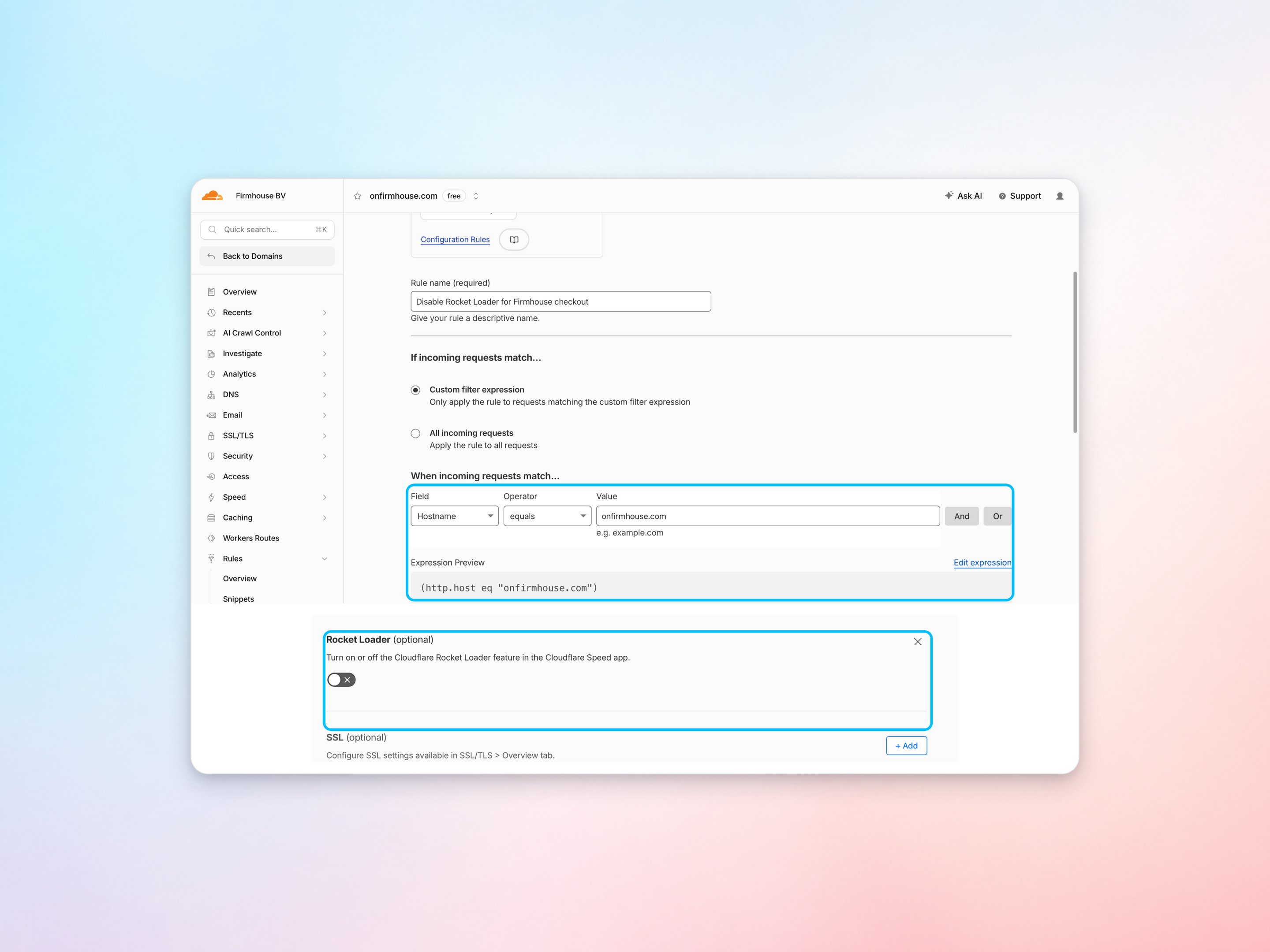
If you want to keep Rocket Loader enabled for other parts of your site, you can create a configuration rule to disable it specifically for your checkout domain.Steps
- Go to your Cloudflare dashboard
- Select your domain and navigate to Rules > Overview
- Click Create rule and choose Configuration Rule
- Set the rule name, for example, “Disable Rocket Loader for Firmhouse checkout”
- Under If incoming requests match, select Custom filter expression and configure Hostname to equal your checkout domain
- Under Then the settings are, add Rocket Loader and switch it off
- Save the rule as a draft or deploy it when you are ready