First or Recurring Order
Orders generated in Shopify via Firmhouse can be easily recognized. Firmhouse adds a tag to the order, either:Firmhouse-First-Orderfor the initial order on signup, orFirmhouse-Recurring-Orderfor all recurring orders
Firmhouse-First-Recurring-Order. One-off purchases won’t get this tag.
Additional Details
Every order that is created in Shopify will have additional so-called “custom attributes”, containing:firmhouse-order-idfirmhouse-invoice-idfirmhouse-subscription-id
Extra Fields as Custom Attribute
It’s also possible to mark certain Extra fields to be sent to Shopify as custom attributes. These will be added to all orders as custom attributes for that subscriber.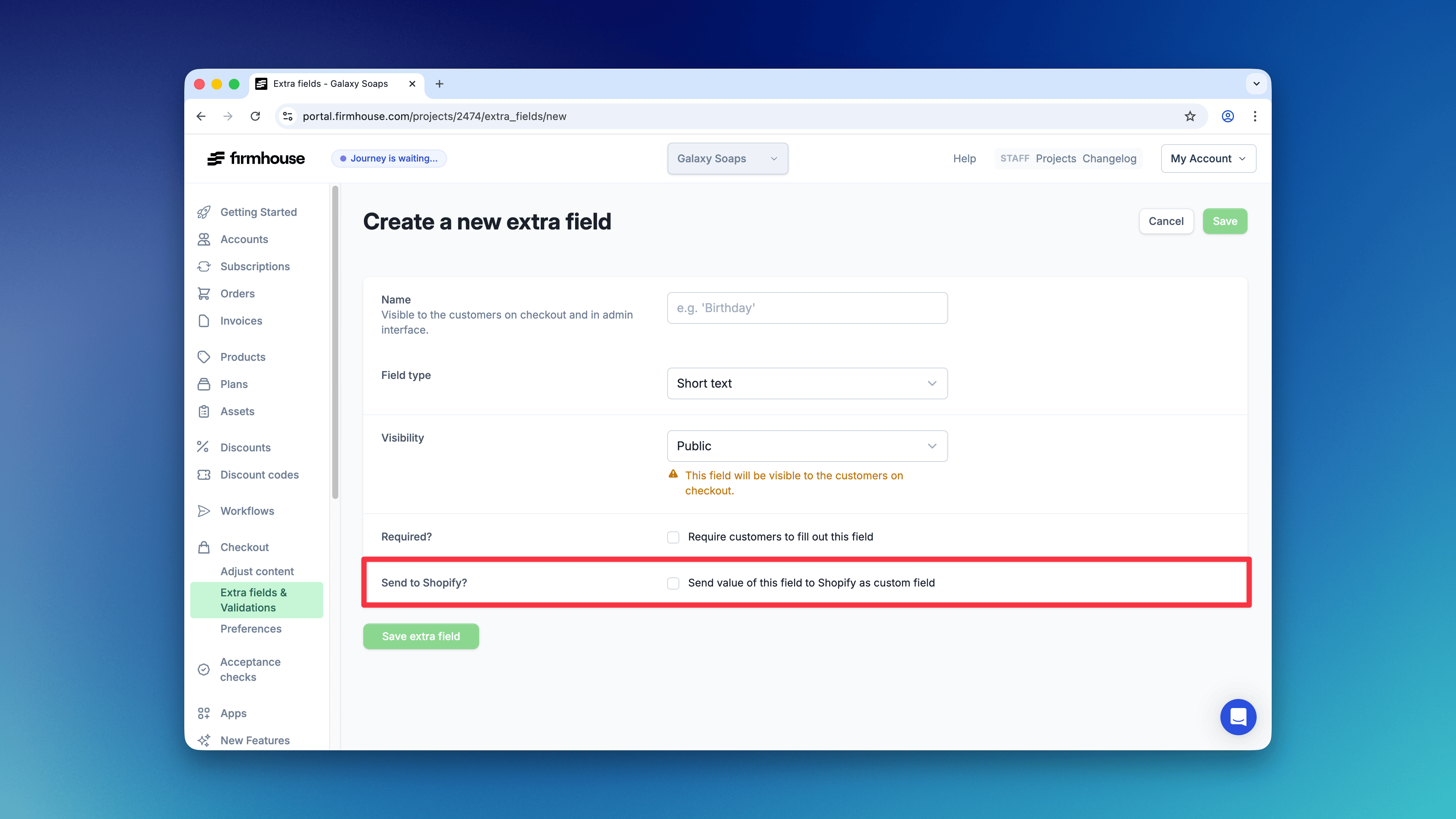
Custom Tags
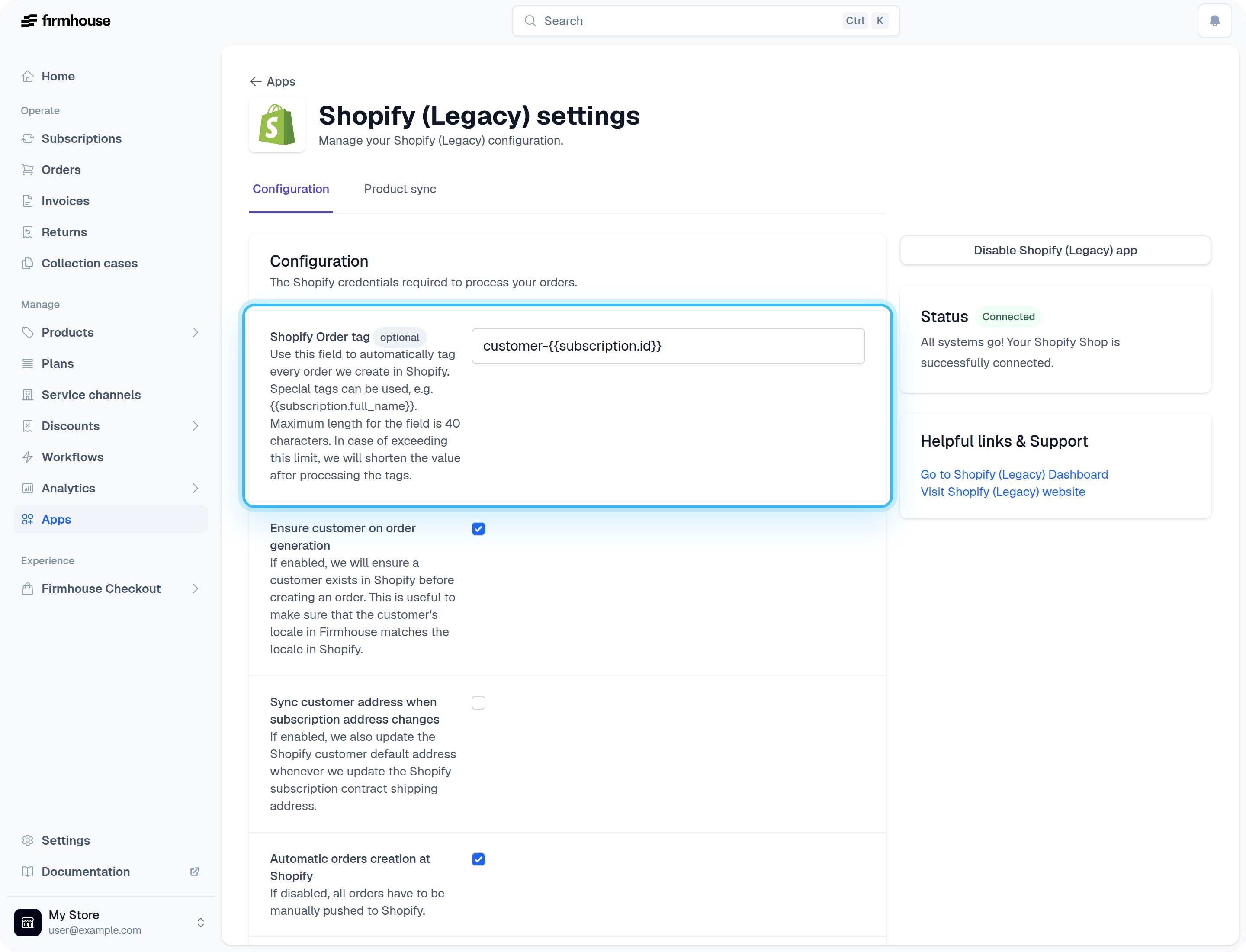
In certain situations, you might want to add additional tags or information to the Shopify Orders. Firmhouse has the “Shopify Order tag” option in the Apps > Shopify menu. Here you can add custom and even dynamic tags, using Liquid code. The order’s payment is available aspayment. Use payment.most_recent_attempt when a retry may have used a different provider or payment method than the original payment. The following example adds tags such as mollie-directdebit to recurring Mollie orders created through Firmhouse’s draft-order flow, but not to Shopify-native orders:
payment_type, payment_provider, payment_provider_payment_method, and shopify_native_payment. If a Liquid rule produces no text, Firmhouse skips the custom tag.