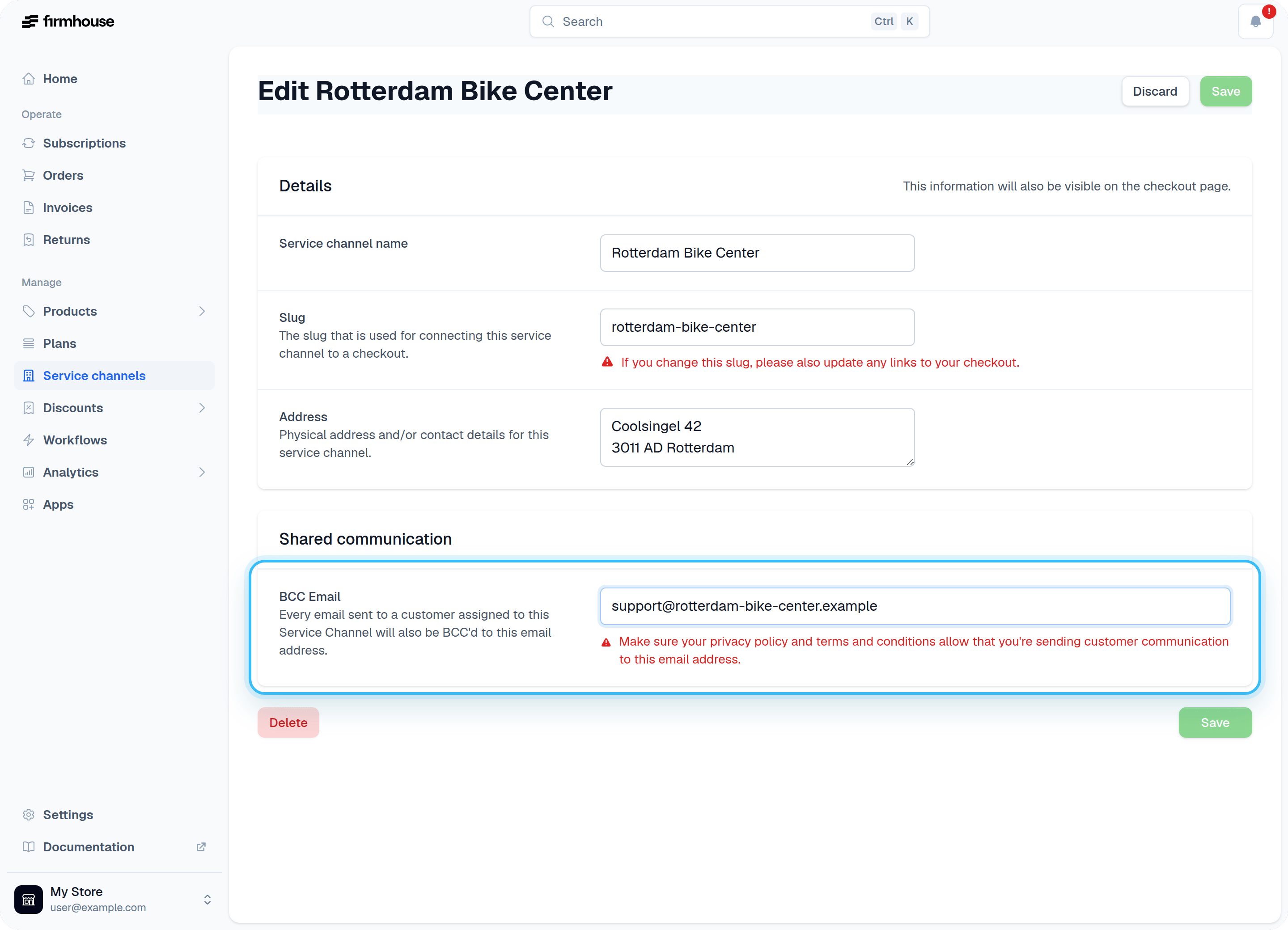
You can add an email address to a Service Channel so that it will get a BCC (blind carbon copy) of every email sent to each of its customers. This will help your Service Channel partners offer top-notch support, especially when they are the first point of contact for your customers. Important: Please make sure that you’ve clearly communicated with your customers that your partner will also receive all the email communication about their subscription. Make sure your privacy policy and other terms & conditions are aligned on this.Documentation Index
Fetch the complete documentation index at: https://docs.firmhouse.com/llms.txt
Use this file to discover all available pages before exploring further.
Add a BCC email address to a Service Channel
Steps
- In your Firmhouse project, go to Service channels in the sidebar.
- Click the service channel you want to add an email to.
- Enter the desired email address in the BCC email field.
- Click Save to save the changes.