> ## Documentation Index
> Fetch the complete documentation index at: https://docs.firmhouse.com/llms.txt
> Use this file to discover all available pages before exploring further.
# Cancelling a subscription
Cancelling a customer's subscription can be done via the subscription status menu in the portal.
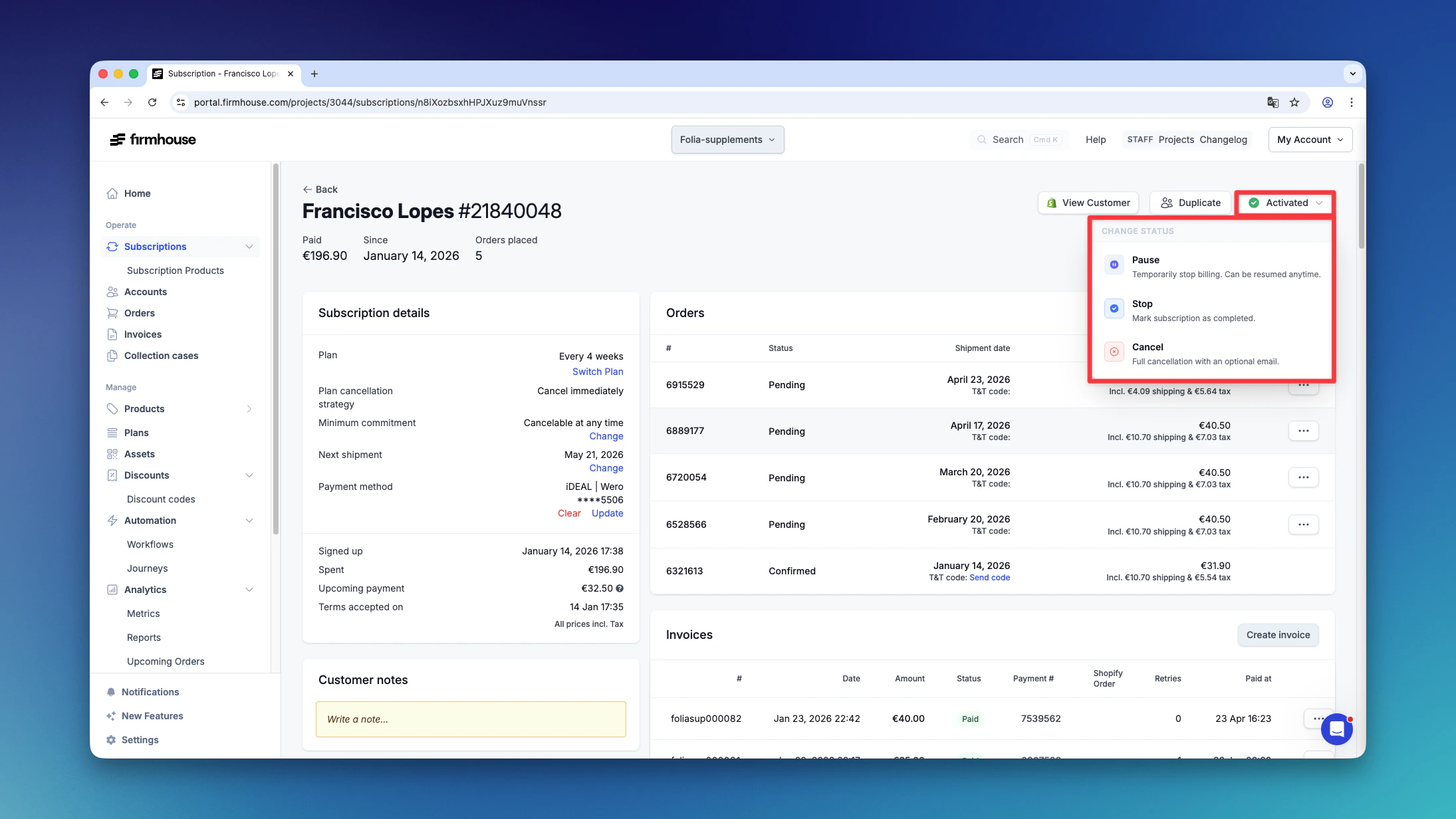
At the top right of the subscription details page, click on the current status (e.g., Activated) to open the dropdown menu. From there, select Cancel to cancel the subscription.
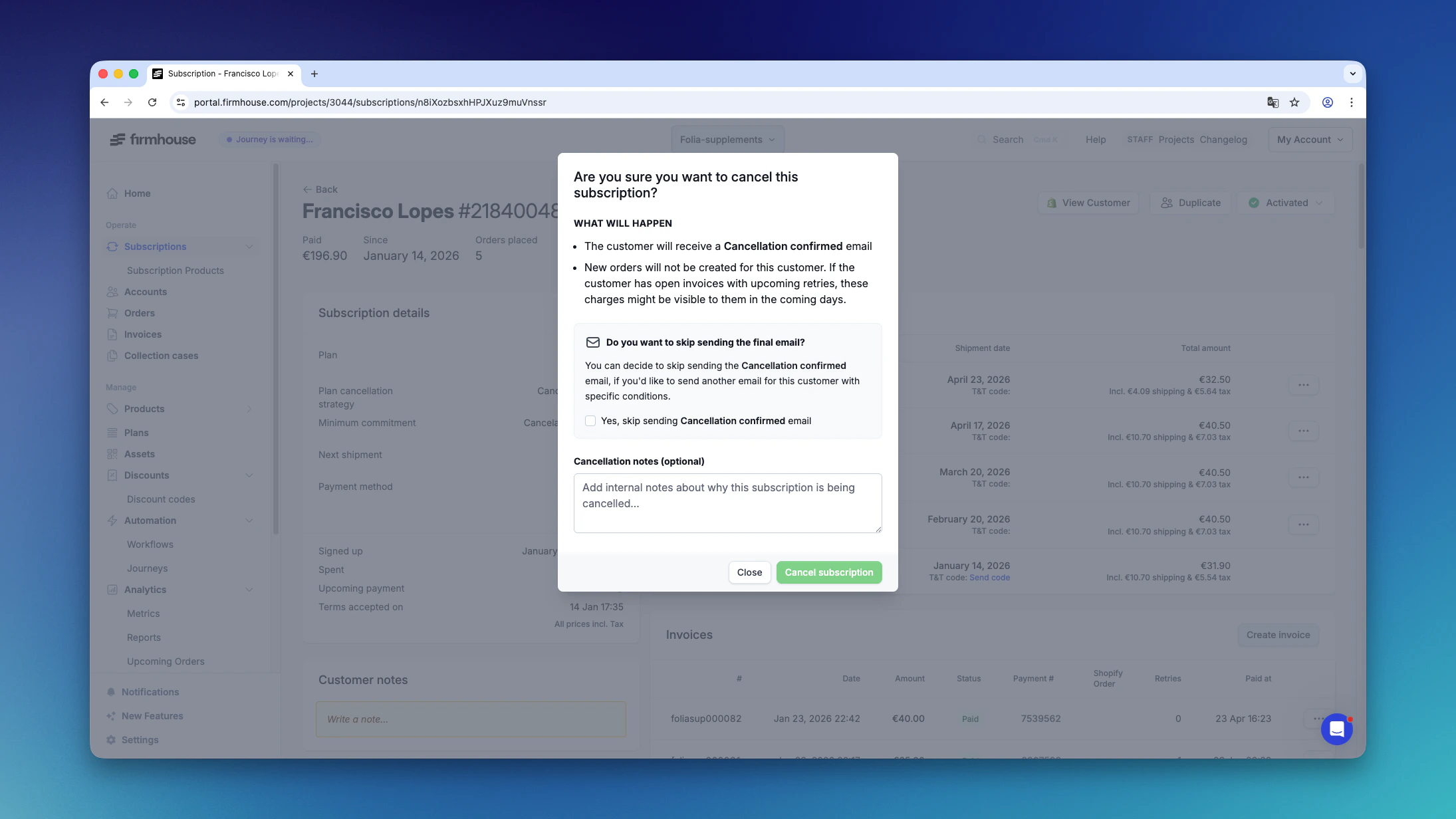
 Once 'Cancel' is selected, a pop-up screen will show with the option to select reasons for the cancellation and also to confirm the cancellation.
 ## When a Product Needs to Be Returned
In the event a product needs to be returned:
1. The Firmhouse platform sends out an email to the customer with return instructions
2. The customer is then marked as "cancellation pending"
## When a Product Needs to Be Returned
In the event a product needs to be returned:
1. The Firmhouse platform sends out an email to the customer with return instructions
2. The customer is then marked as "cancellation pending"
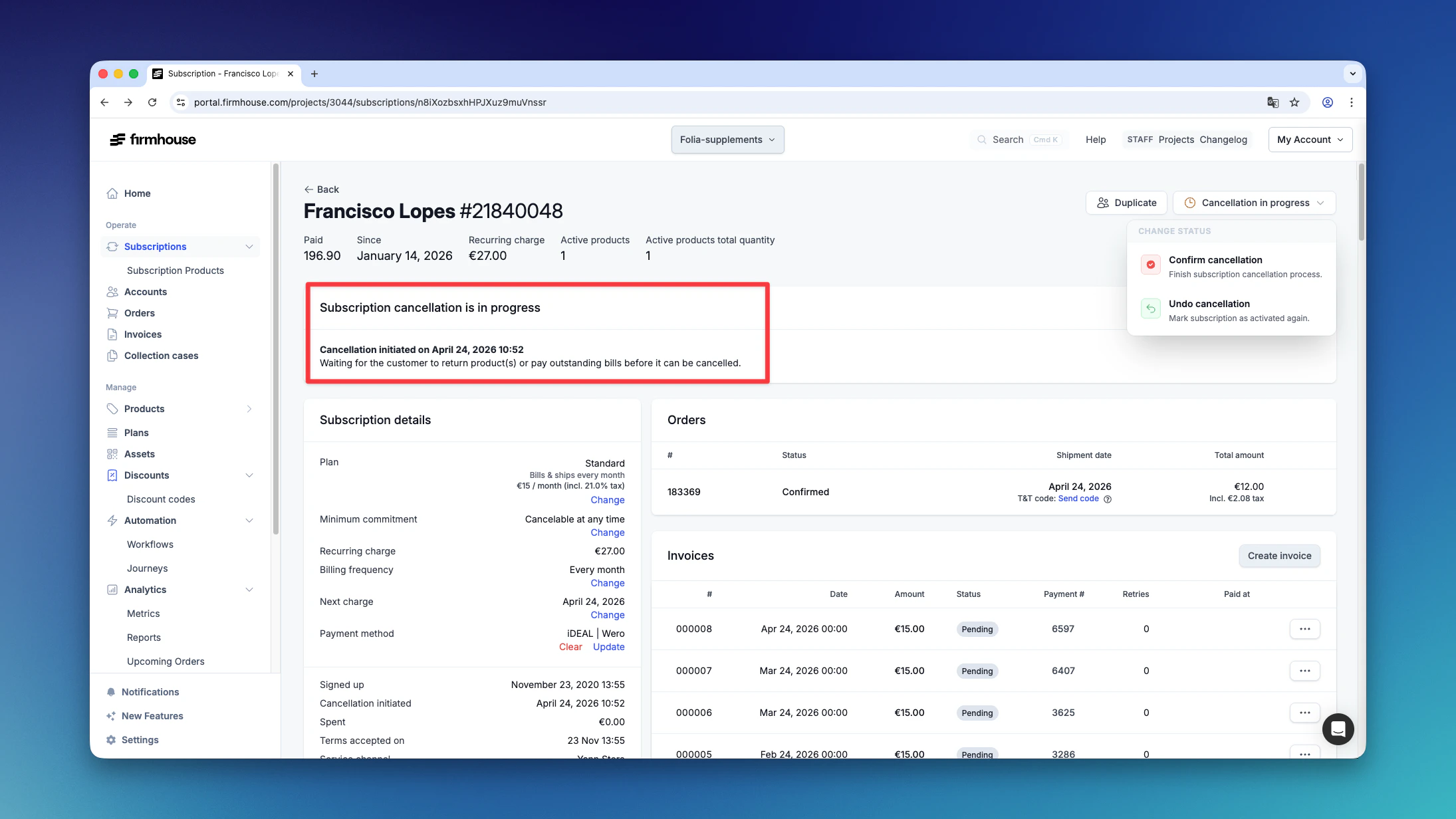 Once the device is confirmed to be returned (depending on your logistics provider), the cancellation process is complete.
## Customer Self-Service Cancellation
Customers can also cancel their subscription via the Self Service Center and a link in their monthly emails if this is enabled for the project.
Once the device is confirmed to be returned (depending on your logistics provider), the cancellation process is complete.
## Customer Self-Service Cancellation
Customers can also cancel their subscription via the Self Service Center and a link in their monthly emails if this is enabled for the project.